
(22/05) My artistic vision for my final project was inspired by my 10-month old baby who loves to giggle. I recall in class Damian talking about a previous student making a music track out of clapping sounds and I knew I wanted to follow in a similar path. Hence why I chose a single sound source which is the sound of a baby laughing. I sourced the recording from a youtuber who uploaded the sound of his baby laughing. It was the perfect raw material because it was of high quality sounding source and there was no background noise like air or breathing. The URL for the sound source is below:
My artistic vision for this piece is a creating a visual of a baby singing and playing around to nursery songs played in the background. It was easy picturing it but putting the work in would require skills and hard work. I set out a plan for the piece as in the rough sketch below.
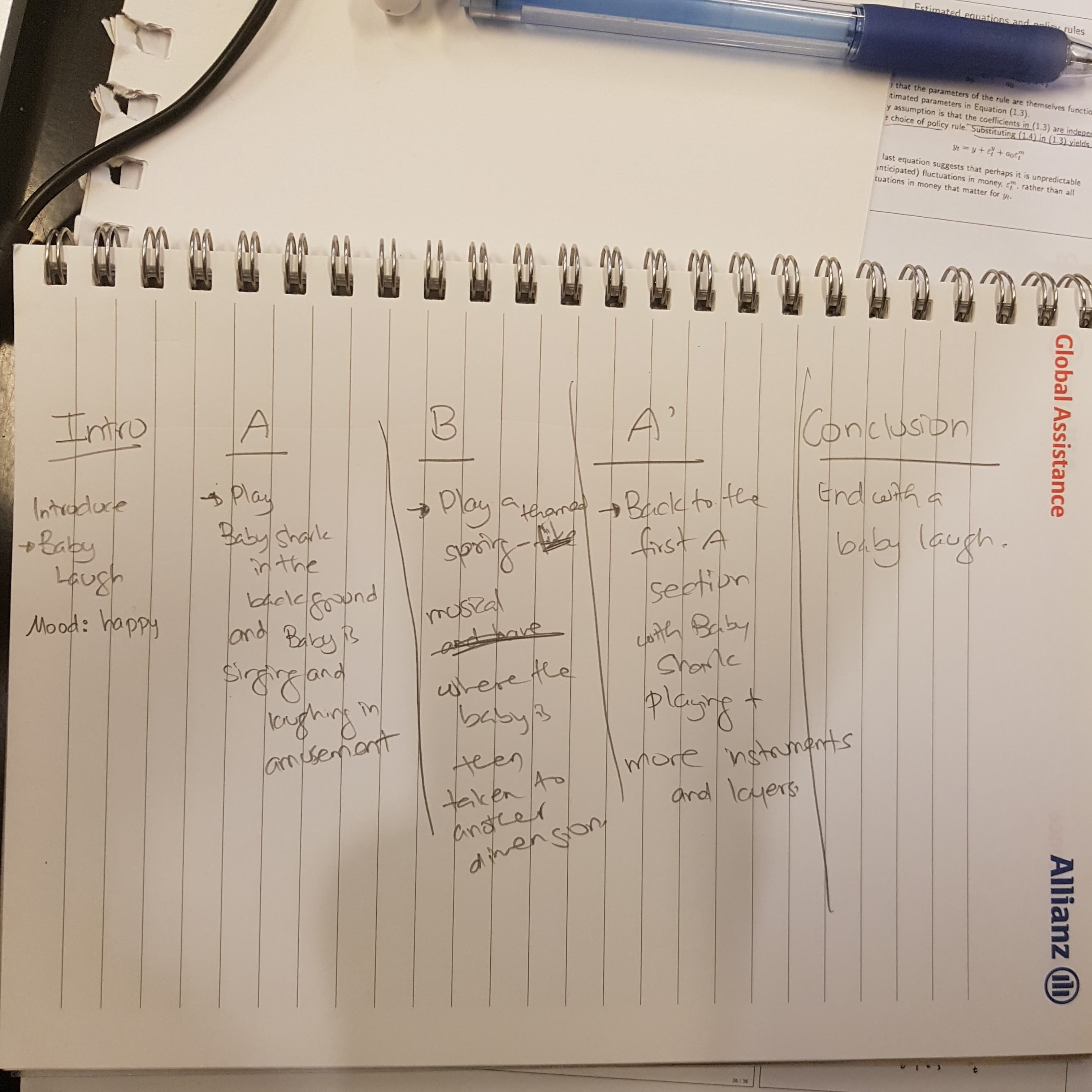
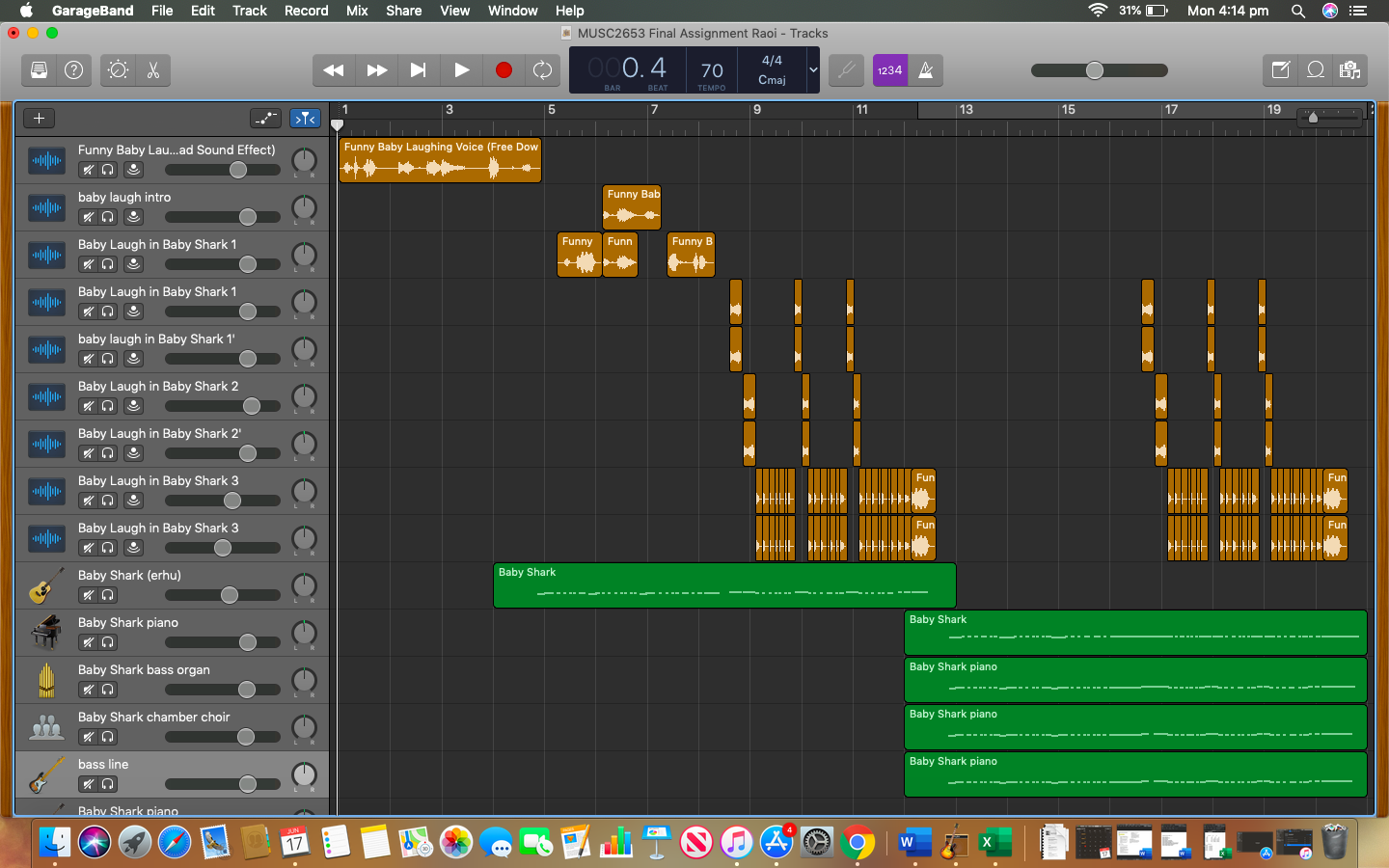
(02/06) Today I worked on my final project. I wanted to create a happy mood where the baby is playing is having a good time. I wanted the surrounding to be groovy as well. For the foreground, I used the baby’s laugh and added double effects to some parts of the track. Also, I transposed some parts to have a layer of voices for the baby’s laugh which is seen in the A section and A’ section when the baby sings along to the song. For the middle ground, I used the 2 songs which are baby shark and a spring-themed song which was in the Garage band Library. I loved the summer vibe that the two songs added to the piece which was what I was after. I used a combination of flute, rigged piano sounds, violin for the higher sound and guitar pick and cello for the bass line in the BABY SHARK song. I added beats from the GarageBand Library. For the first section A, I used Aurora Beats with a pop twist and added snapping sounds and sound effects to create interest. For the contrasting section, I wanted a showcase the skills that I have developed from this course and so I went for a different themed song. I created sound effects like a cork pop sound, snap sound, warp effects, boomer fx effects to make the background. The middle ground used the spring-themed musical and the foreground included the baby’s laugh. It was challenging to create this section particularly when I had this section on loop and tried all sorts of fill ins for the background. I came across the ones that I wanted and so the next challenge was putting them in suitable intervals and that made sense with the beat and sound of the baby. I used loop effects for the baby’s voice because I thought it was creative and I also reversed played the last part of the baby’s laugh for the contrasting section. I found out how to do when I experimented with the laugh. I also found out how to transpose the baby’s voice using the edit “scissors” icon. The contrast section is pasted below.

The A section is pasted below.
(10/06) Due to unexpected events, I had to delay my the finishing of this project. Plus today I have not felt really in sync with the piece that I was doing. At first I felt that I was doing the right thing and now I feel that I might have the wrong vision because of the comments that I was getting from my friends when I showed them my piece. However, I took their critics constructively on worked on the areas like the A section which got a lot of comments. I might have overused the baby’s laugh so I had to find another creative way to use it. Which is why I did not overly use the baby’s singing to the song but had some gaps in between. Also, I struggled with getting the right effects to create the atmosphere that I wanted which was something warm, bright and happy. I added some bell sounds and made the notes higher for the last section, added more layers of instruments and did panning effect to create dimension. For warmth, I added more bass lines and kicks for the punchy effect. The final section is as below:

To create more fun, I added latin drum beats to the A’ section and still maintained the baby’s laugh pattern to create familiarity. I thought this was important to distinguish between the foreground, middle ground and back ground.
(14/06) Today, I feel so stressed out. I listened to my track and I felt that it still wasn’t good enough. This made me question even more my artistic vision and whether it was the right thing to do. I then realised that it is not my artistic vision that was wrong but my techniques that I was doing so I researched more on youtube on how to create interesting music dimensions and found the clip which showed how to create panning effect to make your music 8D. I immediately wanted to try this because I had been fascinated by 8D music since it was out. The panning effect though had to be done on the phone using the Kinemaster app.
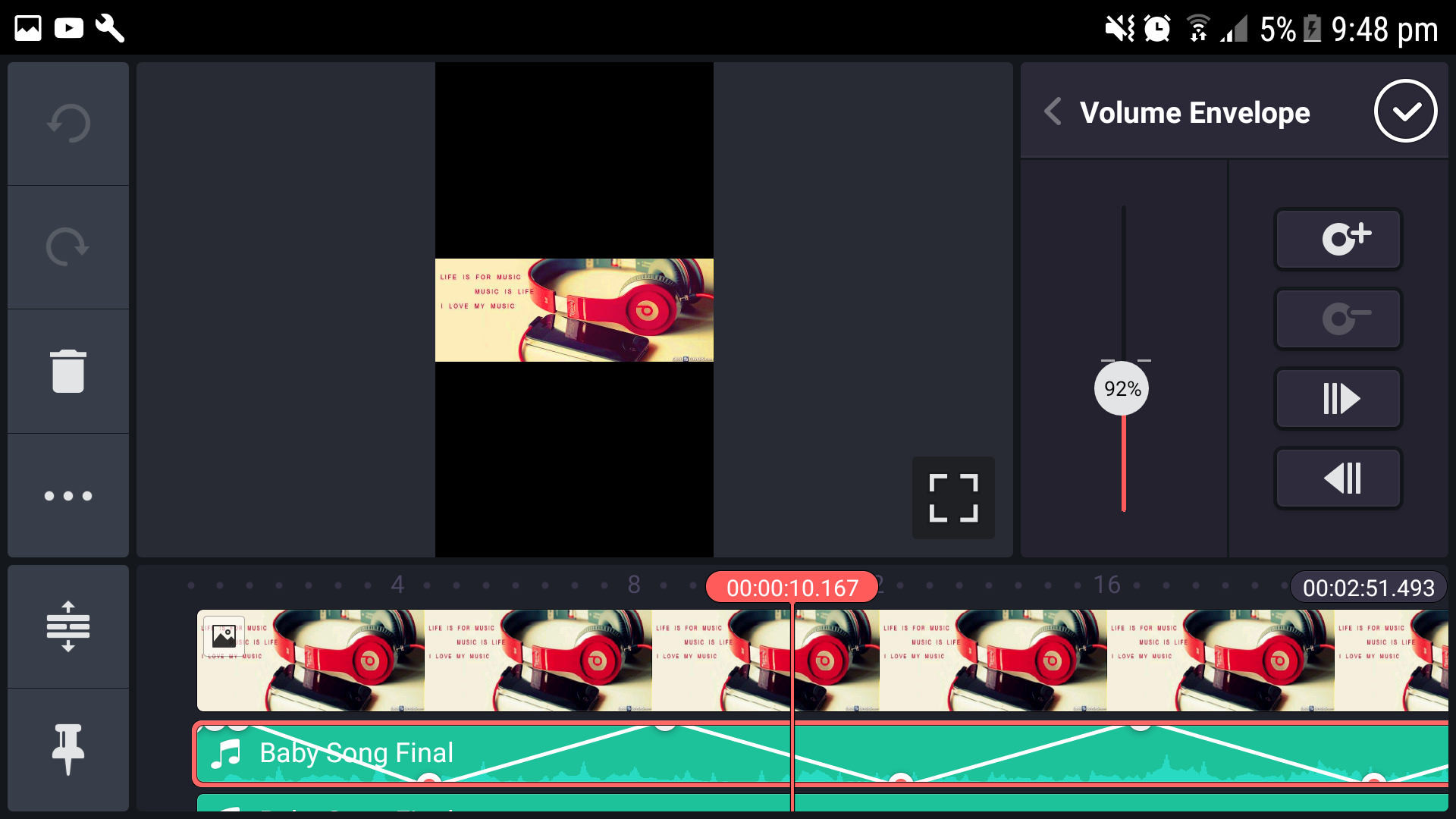
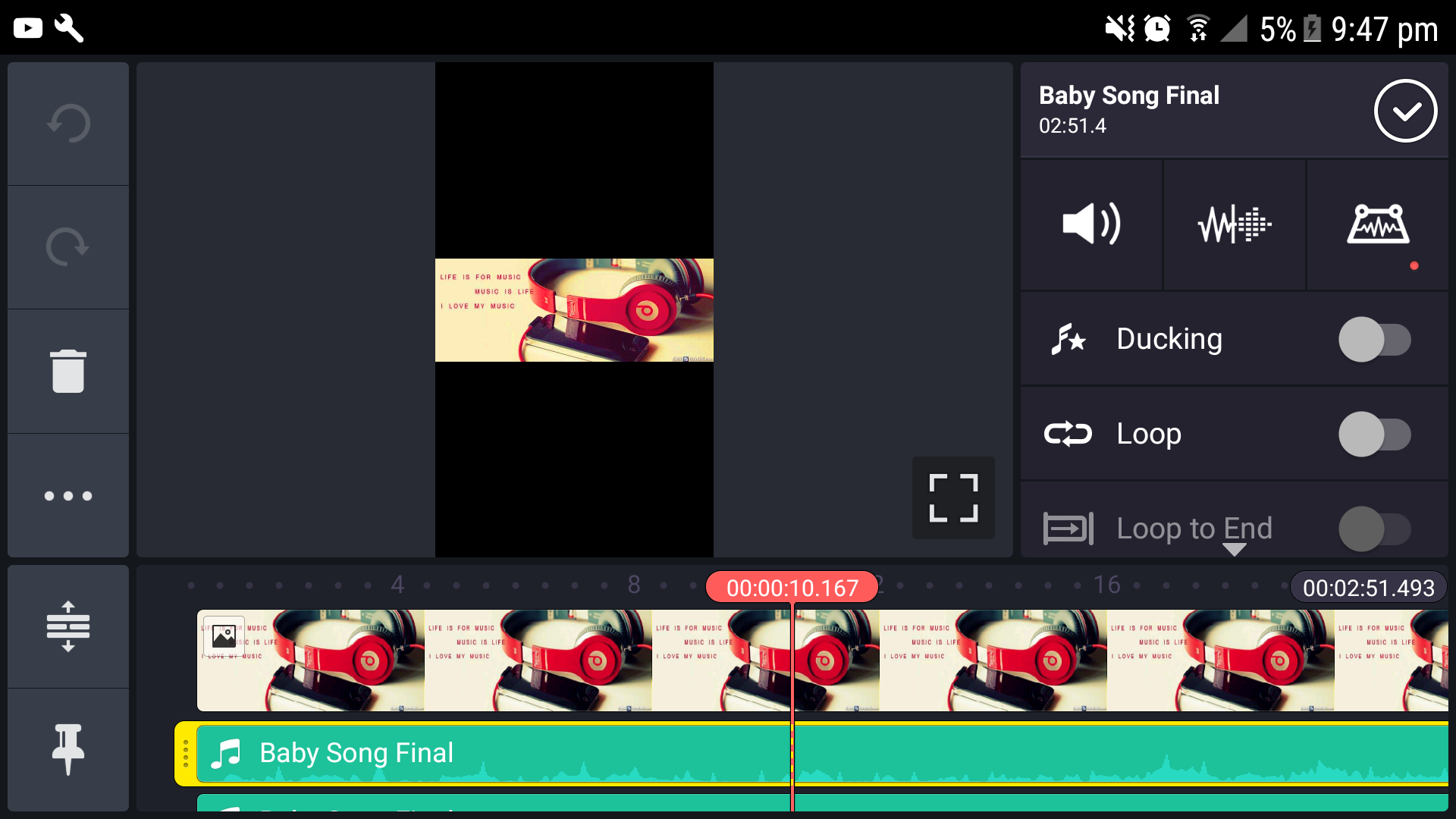
(16/06) For the panning effect, I used the Kinemaster app and followed the instructions set in the video above. It was not that difficult as I thought it would have been. For panning, I had to complete first my garage band project and export to an mp3 file. After this, I opened the file on the app in my phone and did the panning effect by adding two copies of the song. I made the first copy to sound on the left speaker and the second copy to the right speaker. I then used the volume envelope and altered the volume of the copies after every 4 second interval. For example, I lowered the volume of the first copy for the first 4 seconds of the video while I increased the volume of the second one for the first 4 seconds and the transition takes place every 4 seconds. This is pasted below:
This project has really transformed me into a music digital lover, and I could never have been able to explore this side of me if I hadn’t taken the risk. This is truly an eye-opening experience and I am really looking forward to creating more interest and bettering my skills. In the future I would like to create more dimensional music techniques that I may have not yet mastered at this stage. All in all, I am grateful for the journey and the challenges that I have grown out from.
 Agnes' Blog